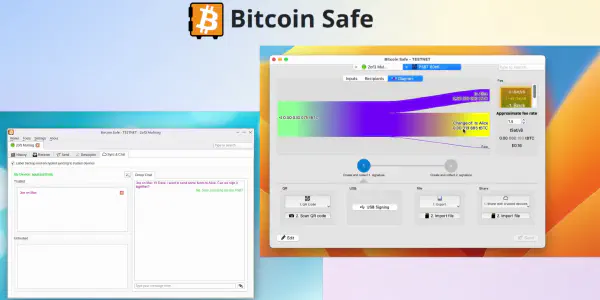
Sync & Chat
Coordinate multisig signers and keep wallet context in sync from within Bitcoin-Safe.
- Discover other devices using the same wallet descriptor
- Sync labels and categories between signers
- Chat securely and share PSBTs in one click
Label synchronisation
Collaborative signing
For the complete walkthrough of collaborative multisig signing, see Collaboration in a Multisig.
Get Bitcoin-Safe
Plugins ship with Bitcoin-Safe. Download the app to try them.
Download Bitcoin-Safe
Free & open source · Windows, macOS, Linux
Frequently asked questions
How do devices find each other?
Sync & Chat looks for other devices that use the same wallet descriptor. The descriptor is hashed before it is used for discovery, so it is not exposed in plain form. Each discovered device must also be added and trusted manually before it can take part in the chat. This keeps the chat safe even if the descriptor is not secret.
How does collaboration work in practice?
- Setup (once): Add and trust each participant’s device.
- Create: One participant creates a PSBT and adds their signature.
- Share: The PSBT goes to all participants, or only to selected ones.
- Sign: Each participant adds their signature until the transaction is fully signed.
- Broadcast: The last signer broadcasts the transaction, and it then appears in every participant’s wallet.
What gets synchronized?
Sync & Chat handles:
- Coin categories and labels, synced between signers, even across different operating systems
- Sharing PSBTs in one click
Is the chat private?
Yes. Wallet chat is encrypted and runs over Nostr, and label backups are stored encrypted via Nostr as well.